Set a live class, sell tickets or take a package redemption, and teach it online or in person. The recording can become an On-Demand Class afterward.
Schedule the class
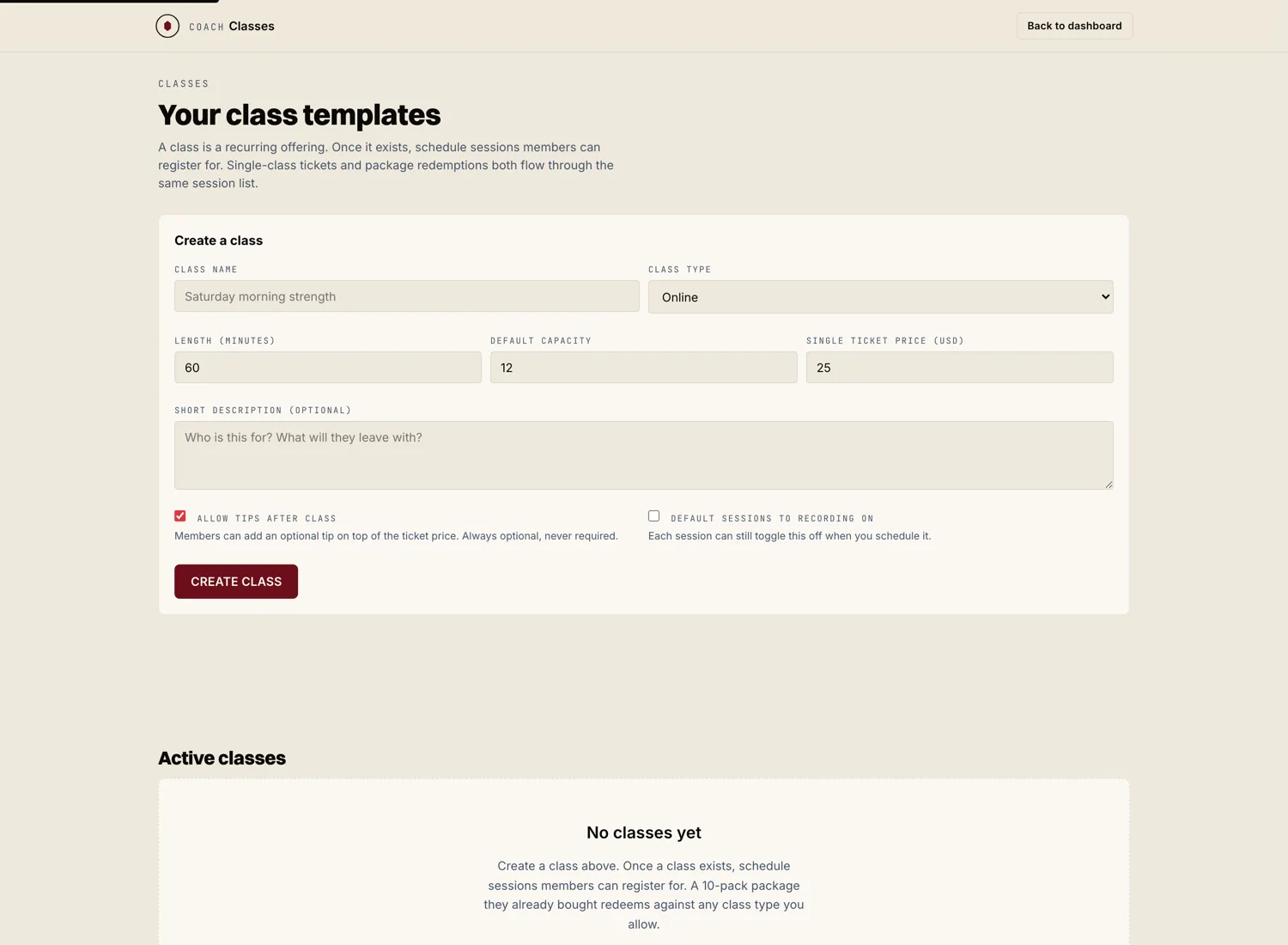
From Scheduling or the Classes tab, hit "New live class." Set the date, the time, and the length. Choose online or at the studio. Give it a title and a short description so athletes know what they are signing up for.
At a gym, the owner can also put a class on a coach's calendar once or every week on chosen days, from the Schedule tab of the gym console.
Set how athletes pay
A live class can be paid for two ways, and you can allow both.
- Single ticket. One athlete buys one spot in this class.
- Package redemption. An athlete who holds one of your class packages spends one class from their pack.
Set a cap on spots if the class has a real limit, like a studio room.
When the waitlist is switched on for a class and it fills, members can join the waitlist and see their place in line. By default a freed spot goes to the next person automatically. A gym can change that in the console: offer the spot and let the member say yes, or tell everyone waiting and let the first to claim it take it.
If a late cancel fee is set, a member who cancels inside the window pays the fee they agreed to when they booked. The charge is held for 24 hours first, so it can be waived.
Record it to sell later
If you want to resell the class later, tick "Default sessions to recording on" and record the class in your meeting tool. Afterward, upload the recording from the session. Marrow turns it into an On-Demand Class draft you price and publish.
Teach the class
At class time, open the class from your calendar and start it. For an online class, athletes join from their own devices. For an in person class, your roster shows you who booked so you know who to expect.